Free · No signup · No quota

Instagram Caption Generator

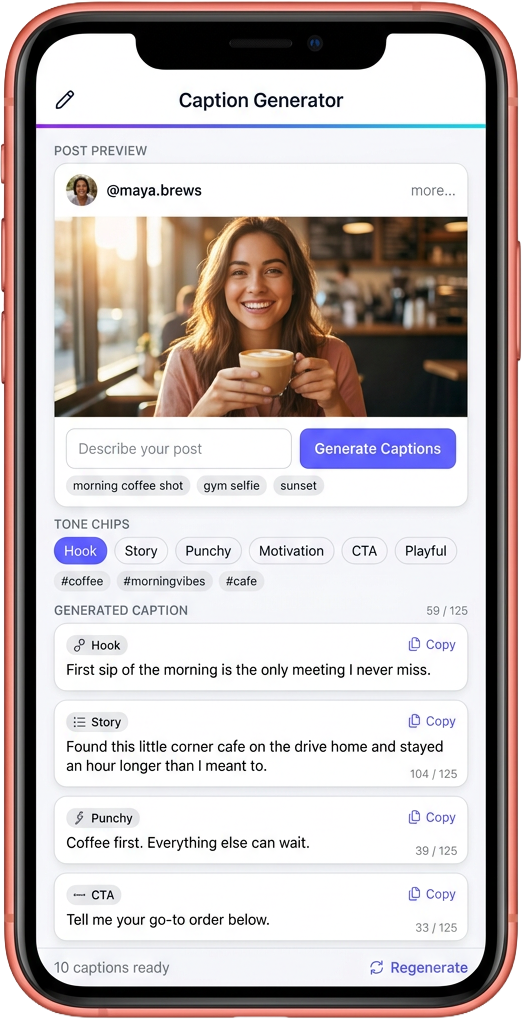
Describe what the post is — a morning coffee shot, a gym selfie, a sunset on the drive home — and ten distinct captions arrive, mixed across hooks, storytelling, punchy one-liners, motivation, questions and clean CTAs. Tuned for the Instagram rhythm. No signup, no daily cap.

Updated June 2026
740,000+ creators·6 tones per set·Free forever·0 logins
10
Captions per topic
6 Tones
Mixed per set
Free
Unlimited
instagram-caption-generator
Enter Keyword or Topic
Enter any keyword, topic, or short description — the more specific, the better the captions
Niche
Length
Instagram allows long captions — pick the right length
Language
Tone
Target audience
Include in caption
# Hashtags
😊 Emojis
📣 Call-to-action

What every generation returns

Ten distinct captions per topic — balanced across tones, length-aware, and ready to paste straight under your post.

Ten captions per topic

Not five quick lines, not fifty filler ones — ten complete captions, every one written long enough to carry its own post.

Six tones in one set

Hook, storytelling, punchy, motivation, conversational and CTA — the same generation gives you a tone for every kind of post you might publish that day.

125-char preview aware

Each caption is sized so the opening lines work as a standalone hook before Instagram clips the rest behind the more... link.

Line-break ready

Storytelling captions ship with the line breaks baked in — copy and paste keeps the rhythm intact without manual reformatting.

Unlimited regenerations

Hit Regenerate as many times as you want. No daily ceiling, no metered quota, no soft paywall after the first three.

No API call, no waiting

The dictionary ships inside the page — captions appear in the same render frame the page paints. Zero outbound request.

Three keystrokes between idea and paste

Generate captions from a topic, URL, or photo — in your language, tuned to your niche and tone.

1

Drop in your input

A topic keyword, a post URL, or just a one-line vibe. The generator handles all three input shapes.

TopicURLVibe
2

We write ten variants

Each caption uses a different opening hook — question, statement, stat, story, contrarian, list.

topic × hook style → 10 captions
3

Copy one, post

One-tap copy. Or treat the ten as drafts and remix into your own voice before posting.

HooksTonesEmojiTags

Captions written for the way Instagram actually reads

Four reasons this set lands harder than a generic ChatGPT prompt or a swipe-file copy-paste.

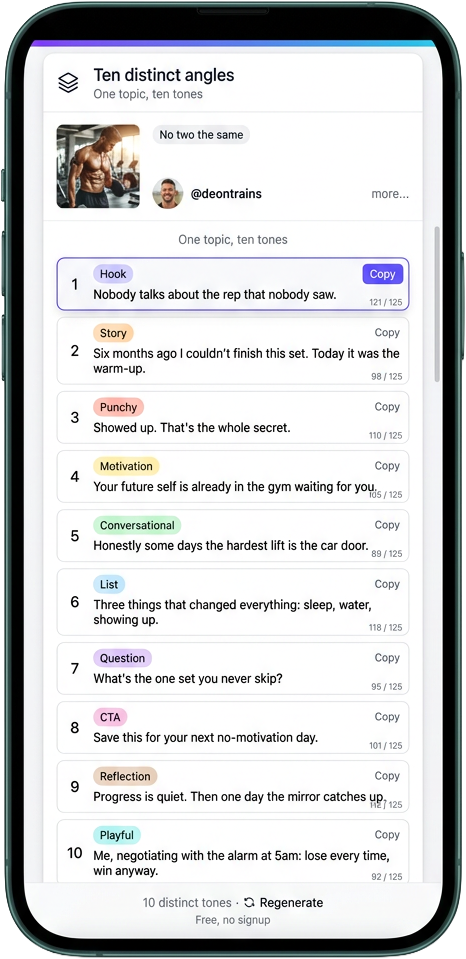
Ten captions. Ten tones. Zero repeats.

Generic generators ship ten rewrites of the same opening. The set is useless because nine get scrolled past instantly. This one builds ten captions from six distinct tones — hook, story, punchy, motivation, conversational, list, question, CTA, reflection, playful — so the choice is between different kinds of post, not phrasings of the same one.

  • One caption per tone
  • Distinct opening — no two start the same way
  • Pick the tone for the photo. Ship.
Ten captions, ten tones, zero repeats

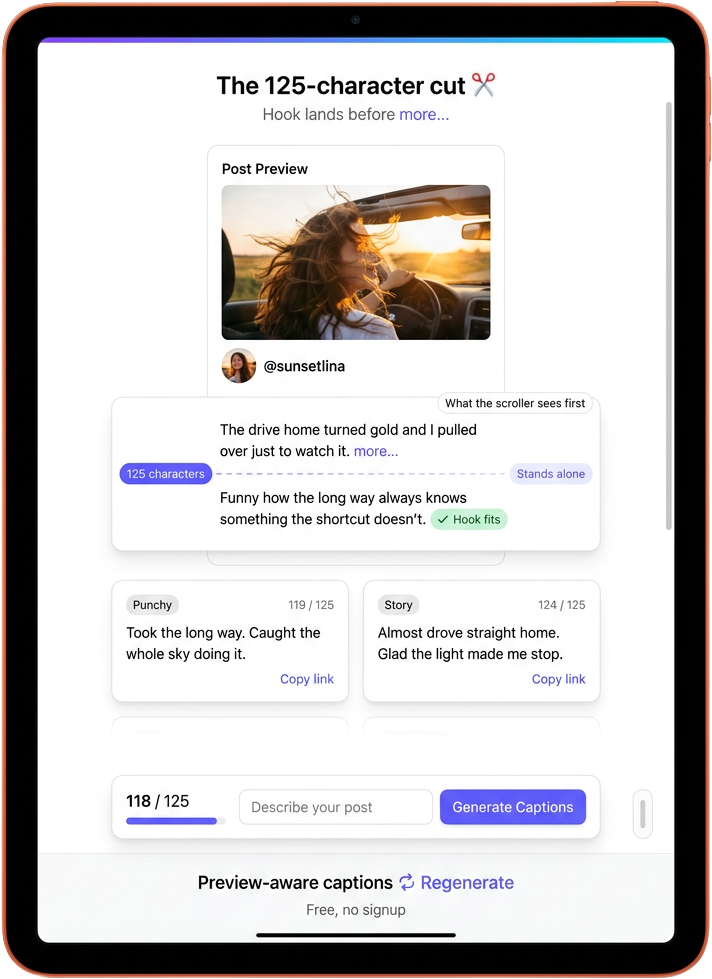
Instagram cuts the caption at 125 characters. We write around it.

Most captions land their best line after the cut and never get read. The hook and punchy entries here stand alone within the 125-character preview. The long storytelling captions are paced so the opening earns the more tap on its own.

  • Hooks stand alone inside the 125-char preview
  • Long captions earn the more tap on the opening line
  • Live character count on every card
Instagram cuts at 125 characters; we write around it

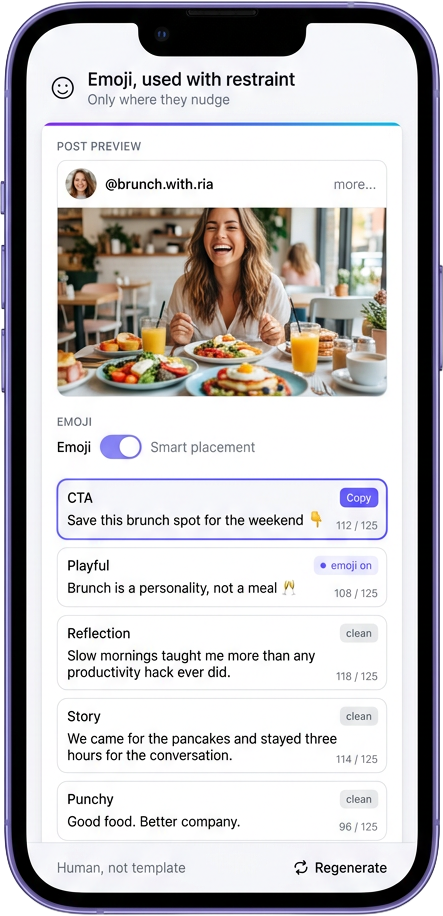
Emojis where they help. Nowhere else.

Generic generators stuff emojis on every line because it looks like effort. We use them sparingly — usually on CTAs and playful lines where they actually nudge a tap, almost never on reflections or story captions where they break tone. The result reads like a human caption, not a template.

  • Emojis on CTAs and playful captions only
  • Zero emoji-stuffing on reflection or story lines
  • Strip them or keep them — both work
Emojis where they help, nowhere else

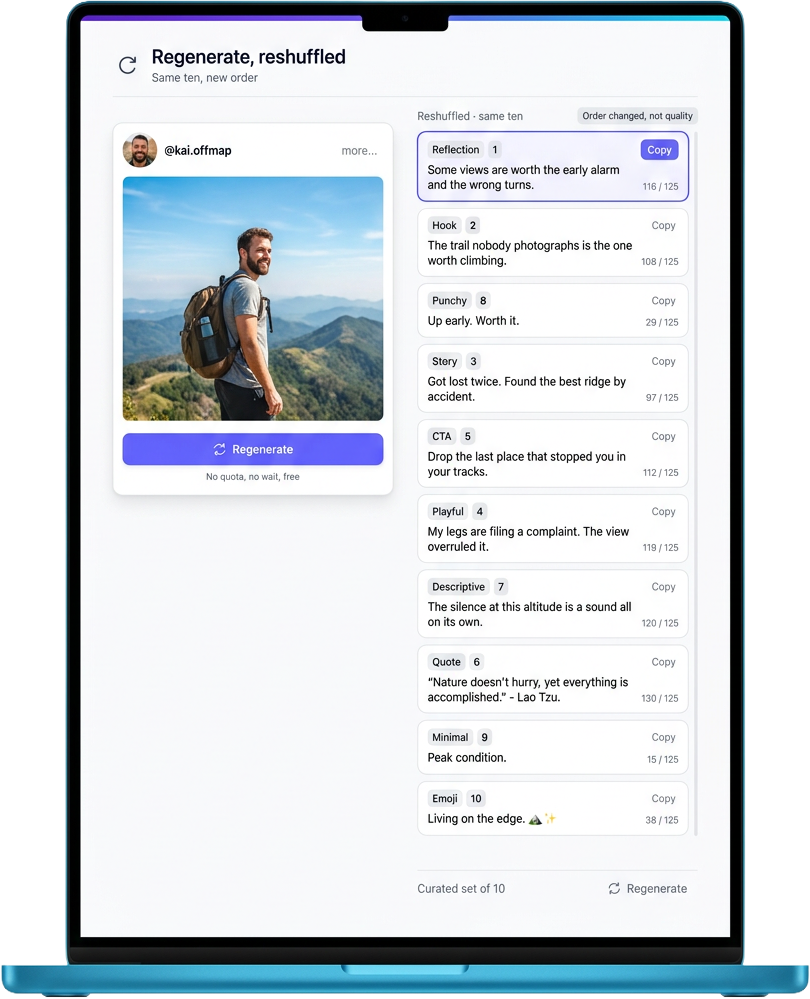
Regenerate without limits. Reshuffle without cost.

Tap Regenerate. The same curated ten reshuffle into a new order so the captions you scrolled past first surface first this time. No external model call, no wait, no quota. The set is finite and curated on purpose — the order changes, the quality holds.

  • Reshuffle the curated ten into a new order
  • No quota, no metering, no daily ceiling
  • Type a new topic to pivot the entire set
Regenerate without limits, reshuffle without cost

What actually makes an Instagram caption convert

A caption isn’t a label for the photo. It’s the second layer of the post — the part that decides whether the viewer who paused on the image stays for the comment, the save or the follow. The visual stops the scroll. The first line of the caption earns the rest. The closing line either pulls an action or doesn’t. Most accounts under-invest in the middle of that loop, ship one safe line per post, and wonder why the reach plateaus. Four small habits move the needle on almost any feed.

Front-load the hook

The first 125 characters are everything the casual scroller sees before the more... link. Lead with the line that would still work if the rest got cut.

Tell a small specific thing

Specific beats clever every time. A real detail — the bakery, the song, the borrowed jacket — carries the caption further than a quotable abstract line.

Close with one prompt, not three

A single question or a single CTA pulls replies. Two competing prompts split the attention and neither one gets answered. Pick one. End there.

Mix tones across the week, not the caption

One post is one tone. Run a hook today, a story Wednesday, a reflection Sunday. The feed feels human when the caption rhythm shifts across the week.

Seven jobs this generator handles in one input

A single topic field, seven distinct outputs — from a single ready-to-paste caption to a per-tone re-roll.

Topic-to-10 generator

Type what the post is — in a sentence or one word — and ten complete captions arrive, drawn from a curated dictionary built per topic.

Tone-mixed set

Every set covers hook, story, punchy, motivation, conversational, list, question, CTA, reflection and playful — six tones, ten distinct angles.

One-tap copy

Tap Copy on any single card and the clipboard fills with the caption exactly as written — line breaks, emojis and all.

Copy all ten as a block

Copy the whole set as a single block, separated by dividers, so you can paste into a notes app and pick the one you want offline.

Regenerate (re-order)

Re-roll the same set into a new order so the angles you didn’t spot first time come up first this time. No external API call.

Live character count

Each card shows the exact character count so you can see at a glance which captions clear the 125-char hook window and which spill past it.

Open-input topic

Type any phrase, not just the seventeen seed topics. A loose-match fallback picks the closest curated set — or returns a balanced lifestyle mix.

This generator vs ChatGPT vs writing from scratch vs swipe files

What you actually want This generator ChatGPT prompt Writing from scratch Caption swipe file
Ten distinct tones in one setAlwaysIf you prompt itRarelyPre-baked
Tuned for the Instagram rhythmBuilt for itGeneric LLMYoursWhoever wrote it
125-char preview awareLive countManual countManual countManual count
Time from topic to pasteUnder 5s30-90s5-20 minInstant
Fresh per generationCurated re-rollYesYesSame file
CostFree, unlimited$20 / monthFree, slow$10-40 once

Who pulls a fresh set every time they post

Independent creators

Photographers, lifestyle accounts and small content creators who post most days and want one less decision — the caption part — off their plate.

Small shop owners

Indie boutiques, home bakers, makers selling out of a studio — they post the product, they need a caption that earns the save without sounding like a sales pitch.

Social media managers

Multi-client managers pulling per-topic sets in a few seconds instead of maintaining a spreadsheet of pre-written captions per client per format.

Coaches & course creators

Fitness coaches, business mentors and online course creators using a tone-mixed set so the week’s feed isn’t five back-to-back motivation posts.

Busy founders posting under-supervised

Founders who post their own feed between calls and need a caption that lands in under thirty seconds — the difference between posting today and rescheduling.

How a single topic input becomes ten distinct captions

Five stages of curation behind every topic that ships in the dictionary — refreshed when the platform shifts.

1

Seed the topic

Each entry starts from a real post moment — a coffee shot, a gym selfie, a sunset — not a vague theme word like “motivation” that could mean anything on any feed.

2

Draft one caption per tone

For each topic we write ten captions across hook, story, punchy, motivation, conversational, list, question, CTA, reflection and playful. No two openings share an opening word.

3

Sanity-check against the 125-char cut

Every hook caption gets read at the 125-character mark and re-trimmed until the visible preview stands alone as a complete thought, not a half-sentence cliffhanger.

4

Strip the AI tells

Phrases that pattern-match to generic LLM output — “in today’s fast-paced world,” “the journey of a thousand miles,” “dive deep,” “unleash” — get cut on the editorial pass so the captions read human.

5

Ship inside the page, not behind an API

The dictionary ships with the page bundle so there is no outbound call when you generate. The captions land in the same render frame the page paints — refreshed whenever the curation pass produces a new round.

Three short notes from creators using it weekly

“I post a small-business reel five days a week and the captions used to take me longer than the edit. Now I describe the shot in a sentence and pick the tone that fits before the next meeting starts.”

— Naledi Mokoena, Independent Florist

“The thing that sold me was the 125-character live count on every card. I used to bury my best line under a paragraph and watch the post die. Now the hook is the first thing the scroll sees.”

— Rafael Quintero, Travel Photographer

“I manage three coaching clients and the tone mix is what stopped my feeds from sounding identical. Different angle per post, same topic, totally different week of content.”

— Aoife Sullivan, Brand & Content Lead

Straight answers to the common questions

ChatGPT writes one caption per prompt and you re-prompt for variety. This generator returns ten distinct captions in one shot, already mixed across six tones, sized for the Instagram preview cut, with line breaks baked in. The first paste is the last paste.
Yes. The storytelling and list-form entries ship with the line breaks already in place. Copy any single card and paste straight into the Instagram caption field on desktop or mobile — the rhythm survives the paste.
Instagram clips the visible caption at roughly 125 characters and hides the rest behind a more... link. The live character count tells you at a glance which captions deliver their best line before the cut and which spill past it.
Either works. A single word like coffee or fitness picks up the matching curated set. A short phrase like "morning coffee shot at the kitchen window" matches the same way and still returns the full ten captions.
The generator falls back to a balanced lifestyle mix and shows a note suggesting the closest curated topic. The fallback set is still ten complete captions across all six tones — never a blank page.
Yes. The Regenerate button re-shuffles the same curated ten in a new order so the angles you scrolled past first time surface first this time. There is no daily ceiling and no metered quota on regenerations.
The full ten are sized for a feed post caption, but the punchy and CTA entries fit a reel caption or a story sticker without any trimming. Pick the tone that fits the surface.
No. The whole generator runs in the browser — the dictionary ships inside the page bundle and there is no outbound request when you generate. Nothing about your topic or your generations reaches any server.
Free, unlimited, no signup. There is no metered quota, no credit system, no "sign up for ten more." Generate twenty topics back to back if you want to.
The curated sets get a review whenever the editorial pass adds new topics or rewrites entries that started to feel dated. The shipped page always reflects the most recent pass — reload the page to pick up a refresh.

Describe the post. Pick a tone. Paste.

Ten distinct captions in under five seconds — mixed across hooks, story, punchy, motivation, conversational, list, question, CTA, reflection and playful. Free, unlimited, no signup.

What users are saying

4.8 · 12 reviews
Jessica T.
★★★★★

Generated three caption styles for the same image and the "funny" one outperformed my usual draft by 4x in saves. Going to use this on every post now.

Priya S.
★★★★★

Wrote 12 captions in 5 minutes. Picked my favourite. Posted. Engagement up. This used to take me half an hour of staring at the wall.

Liam C.
★★★★★

The poetic style option is genuinely good. Like, it reads like a person. I do not know what model is behind this but the prose is the cleanest of any caption tool I have tried.

Olivia G.
★★★★½

Captions are great. The hashtag bundling could be smarter — gives me a few too many broad ones. But the writing is the bigger value anyway.

Tyler M.
★★★★★

I sell products on Instagram. The "professional" caption style writes like a copywriter. Genuinely improves conversion vs my own attempts.

Mariana C.
★★★★★

Picked the casual voice for a brunch reel and it actually sounded like me. Was expecting AI-slop and got something usable. Pleasantly surprised.

Beth A.
★★★★½

Great caption variety — funny and poetic styles especially are spot-on. Would love a few more brand-voice presets but the existing ones cover most of what I post.

Marcus D.
★★★★★

For someone who hates writing captions this is honestly a life upgrade. Posted three times this week. Used to post once a month.

Rohit K.
★★★★★

The Tamil + English mixed caption I requested came out natural. Most AI tools botch code-switching. This one nailed it.

Owen P.
★★★★½

Quick and effective. Sometimes I tweak a word or two before posting but the draft is 80% of the way there. Saves real time.

Sarah K.
★★★★★

I run captions for three brand accounts. This tool replaced a $29/month subscription. I keep waiting for the catch. There is no catch.

Reggie M.
★★★★★

Generated captions for a Manila food festival in three different vibes. All three felt right. Got real comments on the post too, not bot ones.